
The product
The whole academy in one place.
Staff run the day from a desktop. Recruits see their own schedule on their phone. Every change lands on the record the moment it's made.
Run multiple academies at once. Start the next class while the current one is still in session. Each academy keeps its own schedule, roster and POST record, and closes only when staff mark it complete.
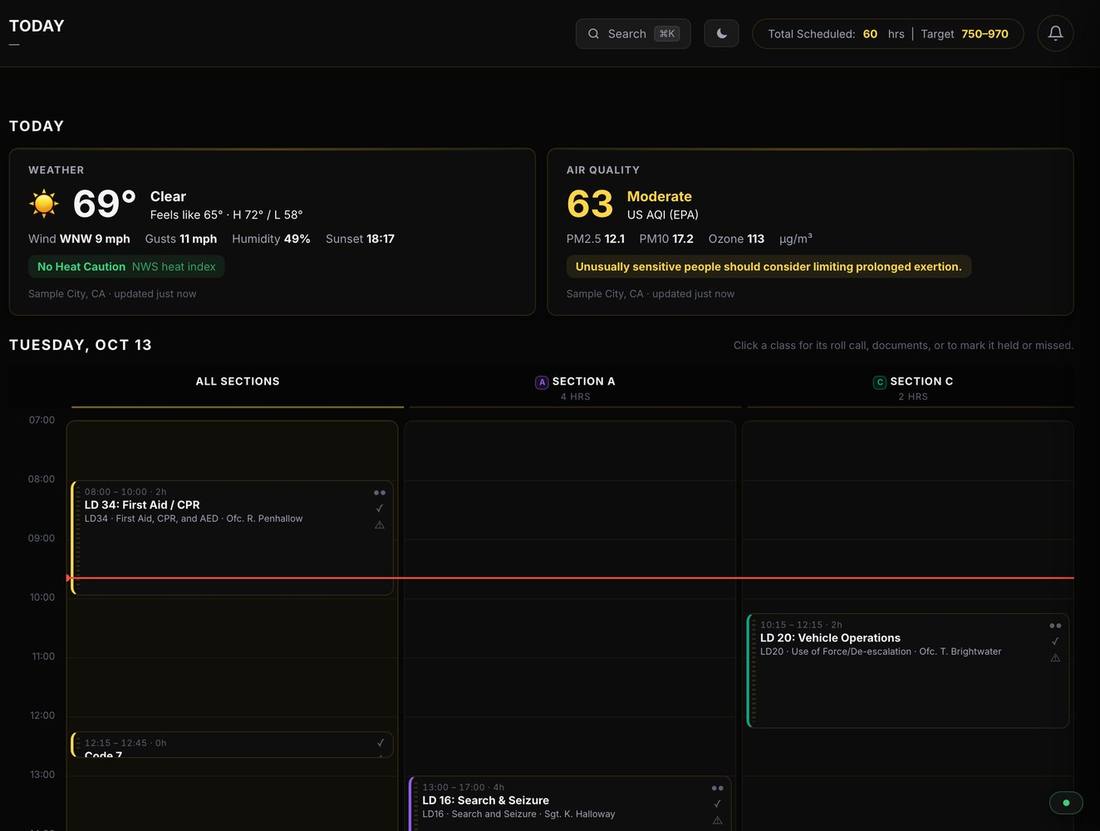
Today
The day, by section.
Every section's classes side by side, with heat and air quality for the training site. Click a class for its roll call and documents, or to mark it held or missed.
- Roll call for every class. Deficiencies and makeups go on the record as they happen.
- Heat and air quality. Conditions for the training site, so outdoor training decisions are on file.

Schedule
A schedule builder that knows the rules.
Draft and publish the master schedule. It won't put a group in two classes at once, and it closes federal holidays for you.
- Start from your existing master. No retyping your schedule.
- Draft, then publish. Recruits only see what you've published.
Recruits
Hours by Learning Domain, per recruit.
Every recruit's hours against the certified hours for their group, with gaps, appraisals and PT on one line.
- The true number. The hours each recruit actually received, not what the schedule adds up to.
- Gaps you can act on. Log a deficiency or makeup from the roster.
Shown in the demo
The recruit roster.
Every recruit's hours, gaps and PT on one line. We walk through it live, with sample data.
Book the demoPT tracker
36 sessions, counted for you.
Duty Belt tracks every recruit against POST's 36-session requirement inside the 10–14 week window, and tells you early when a section is falling behind.
Try it · BCCR 1809
Will every section reach 36?
Tap a week to cancel a session, the way a heat advisory or a range conflict does. Duty Belt projects each section's finish and warns you while there's still time to make it up.
Sessions per week for three sample sections, against the 36-session requirement.
Sample sections. Numbers in each week are PT sessions held or planned. Tap a planned week to cancel one; tap again to cancel another; it resets after zero. Weeks underlined in blue are the 10–14 week window.
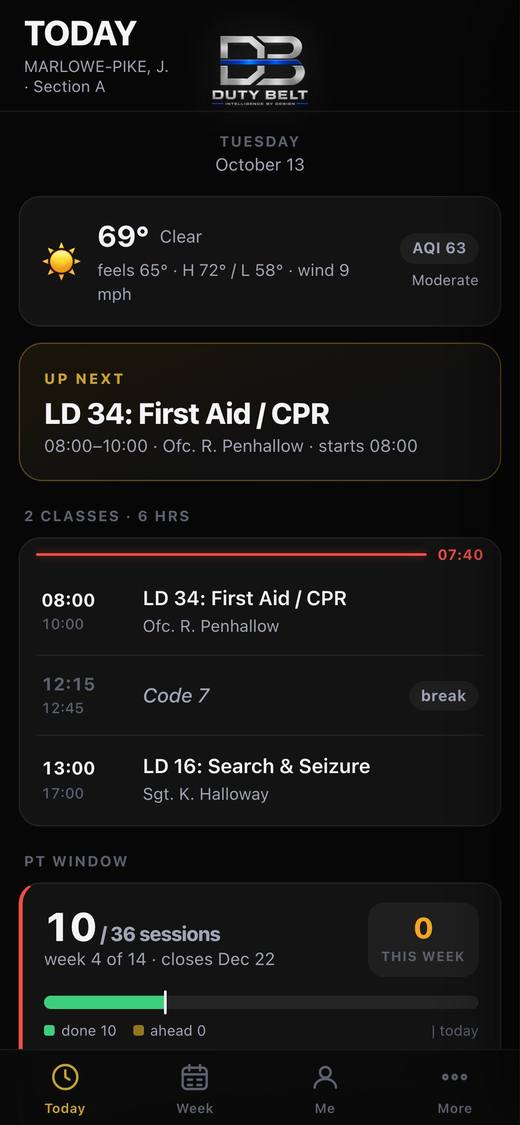
The recruit app
Their schedule, in their pocket.
Recruits see today's classes, what's next, and where they stand on PT. They can view, never edit.
- Only what you've published. Drafts stay with staff.
- Changes announced. When a class moves, recruits see what changed.

Built around you
Your academy, not a template.
- Your groups, your targets. As many groups as you run, with your hour targets and your closed days.
- Your paperwork. Notices drafted in your own memo format.
- Your next feature. We build alongside the academies that use Duty Belt. Staff requests often ship within the week.
Screens from the live app with sample data. The academy, recruits and instructors shown are fictional.
Thirty minutes